
What changed
From 1 November 2026, each person has a monthly usage budget, and in fact two of them: one for ToqanClaw and one for Toqan Agents. You can see where you stand at any time, and when you need more you ask for it from inside Toqan.
The budgets exist so that companies can see and manage what Toqan costs them. For most people the default budget is far more than a month of normal use. The people it will touch are the few who run very heavy workloads, and for them there is a simple path to more.
Two budgets, and they never mix
Your allowance is split into two budgets. The use of one never eats into the other: running out of Agent budget does not stop you from using ToqanClaw, and the other way round.
ToqanClaw budget. Every conversation with ToqanClaw counts. Scheduled tasks count too, since they run through ToqanClaw.
What does not count: using an app that already exists, or the database connected to it. Opening an app, filling in a form, reading its dashboard, all of that is free. Only building or changing the app through a conversation uses budget.
Agents budget. Every run of a Toqan Agent counts, whether you start it by hand, it runs on a schedule, or something triggers it through an integration. Whose budget a run is charged to depends on the kind of Agent; see the next section.
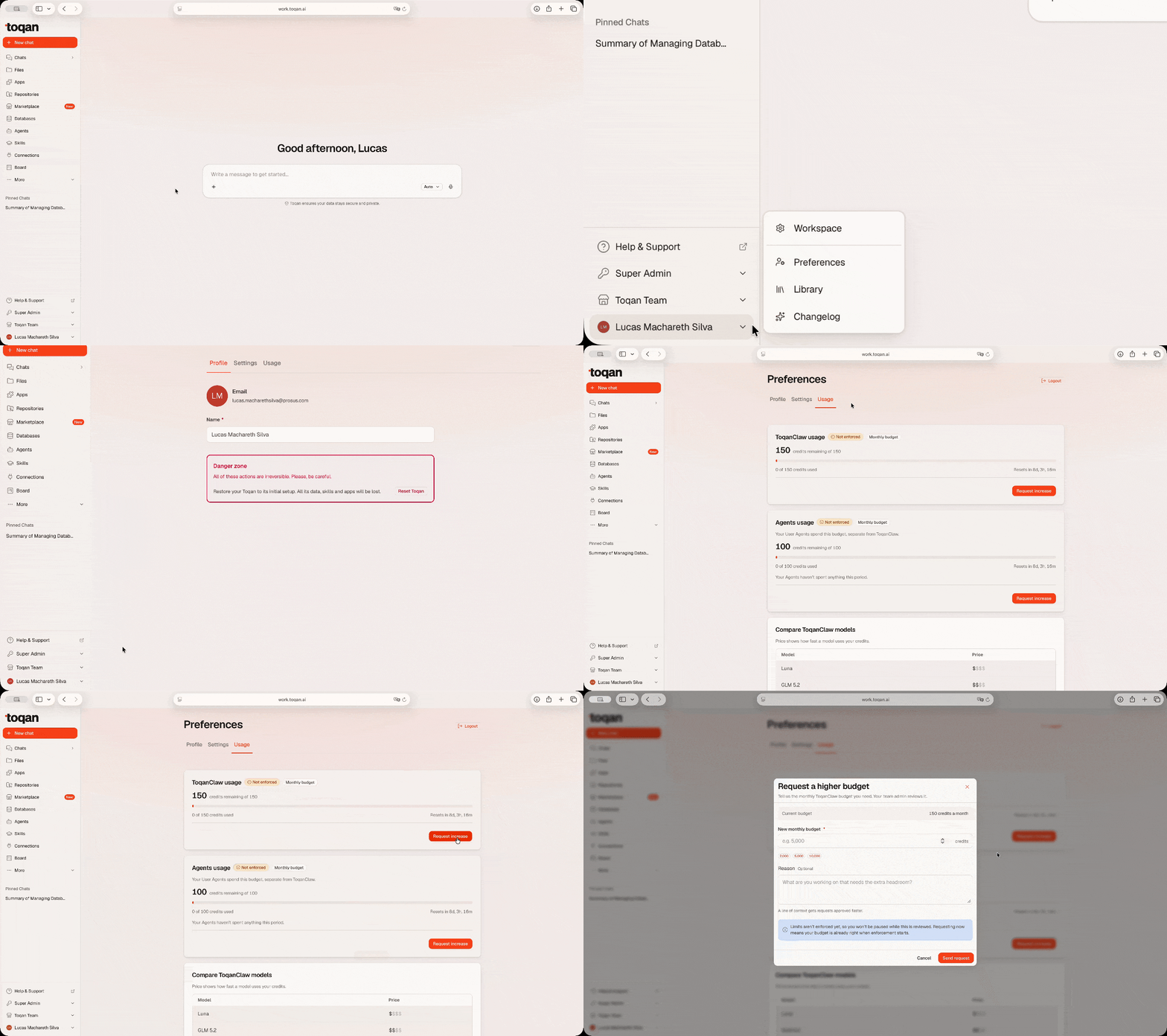
To see where you stand, go to Preferences → Usage. You will see both budgets side by side, each with:
- how much of the budget you have used this month, shown in credits (one credit is one dollar),
- when the budget resets,
- a Request increase button.
Budgets are monthly. On the first day of each month usage goes back to zero and the full budget is available again; unused budget does not carry over. When you are getting close to a limit, the Usage page shows a warning, so you are not caught by surprise.
How Agent usage is charged
There are two kinds of Agent, and the difference is only about whose budget pays.
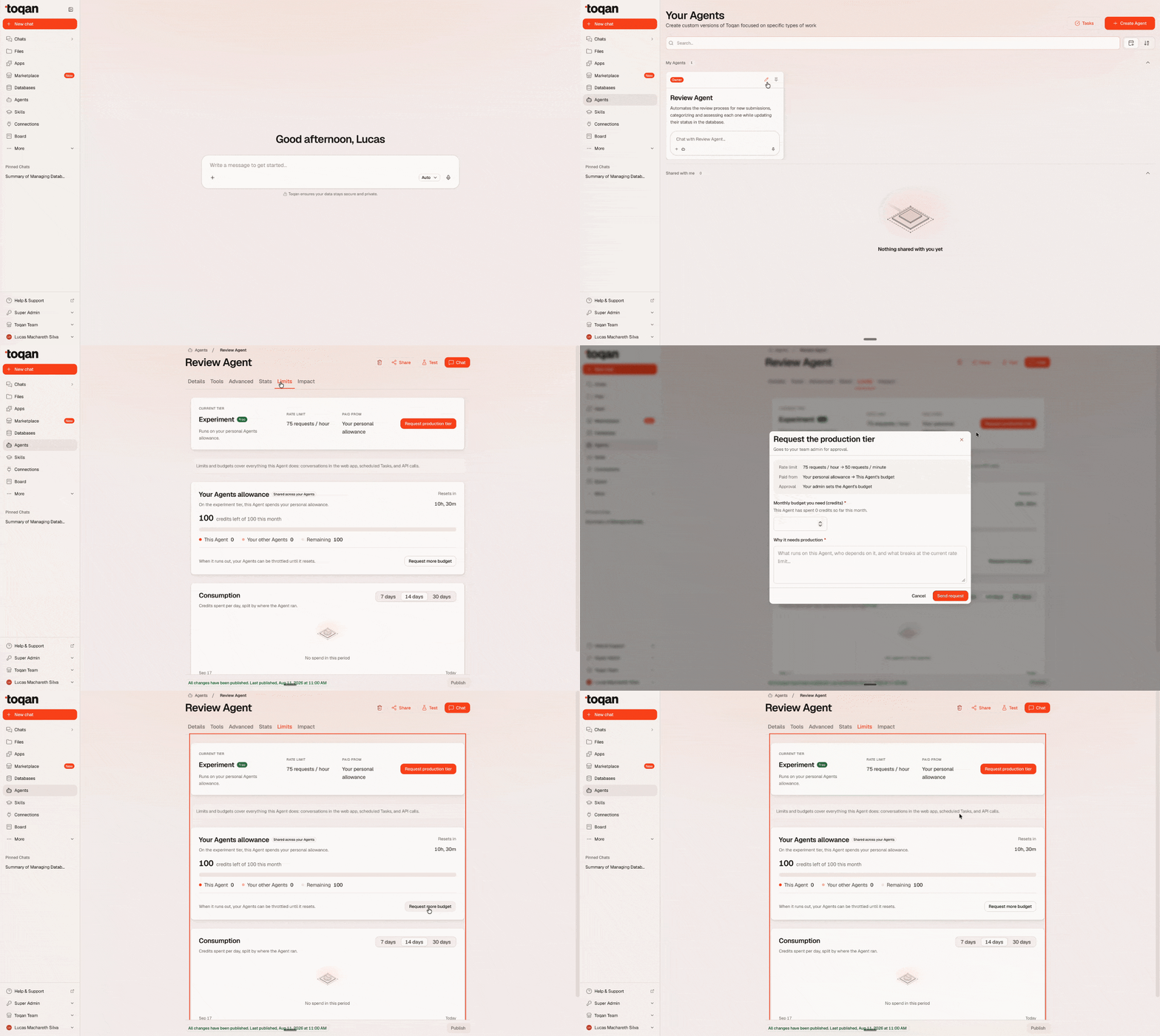
- User Agent. Every Agent starts as a User Agent. Its runs draw from the personal Agent budget of the person who created it, no matter who runs it. If you build an Agent and five colleagues use it, their runs come out of your Agent budget.
- Company Agent. An Agent built for the whole organization can become a Company Agent. It then has a dedicated budget of its own, set by your company admin, and its runs stop touching anyone’s personal budget.
To make the switch, open the Agent’s settings, go to Limits, and request Company Agent. Your company admin reviews the request, approves it and sets the Agent’s budget. Until that happens the Agent keeps running as a User Agent.
What drains your budget, and how to avoid it
Three things account for most of what a ToqanClaw budget is spent on.
Long conversations. Every new message sends the whole conversation back to the model, so the longer a chat gets, the more each message costs. A handful of very long conversations can cost more than hundreds of short ones.
Bloated context. Whole files, logs and documents pasted into the chat, large results coming back from tools and MCPs, and many tools switched on at once all travel with every message you send.
The model. The same question costs very different amounts depending on the model answering it, and the heaviest models cost many times more per message than the lighter ones.
Four habits that keep your budget in check:
- One conversation per task. When you change subject, start a new chat. If you find yourself in a long conversation, ask for a summary and continue in a fresh chat from it.
- Pick the model for the task. The lighter models are enough for classifying, summarising and drafting simple material; keep the heavier ones for data analysis and complex, critical work.
- Paste only what matters. Send the relevant excerpt, not the whole file or log, and ask for filtered or aggregated results instead of raw output.
- Switch off tools and MCPs you are not using. Every active tool is included in the context of every message, whether you call it or not.
What happens when you reach a limit
Toqan tells you, and pauses further use of that budget until the month resets or your budget is increased. The other budget keeps working.
To get more, press Request increase on the Usage page, say how much you need and why, and the request goes to your company admin. Admins can approve the full amount or a different one; as soon as a request is approved, the new budget applies immediately and you can continue.
Who sets the limits
Your company admins. They set the default budget every person in the company starts with, decide on increase requests, and approve Company Agents and their budgets.
FAQ
I reached my limit and I need to keep working. How long does an increase take? As soon as your admin approves the request, the new budget applies and you can continue. Your admin can also give you a different amount than you asked for.
Does using an app cost me budget? No. Using an existing app, or the database behind it, is free. Only creating or editing the app through a conversation with ToqanClaw uses your ToqanClaw budget.
I use an Agent a colleague built. Whose budget pays? Theirs, as long as it is a User Agent. If the Agent is used across the team, ask them to request Company Agent so it gets a budget of its own.
My Agent runs on a schedule at night. Does that count? Yes. Every run counts, whether you started it or a schedule did.
What are credits? The unit on the Usage page. One credit is one dollar, so a budget of 100 credits is $100 of usage a month.
When does my budget reset? On the first day of each month. Unused budget does not carry over.
Do budgets apply to Slack, scheduled tasks and the API as well? Yes. All usage counts, wherever it comes from. Scheduled tasks and conversations draw from your ToqanClaw budget; Agent runs draw from the Agent’s owner, or from the Company Agent’s own budget.