
What you can do
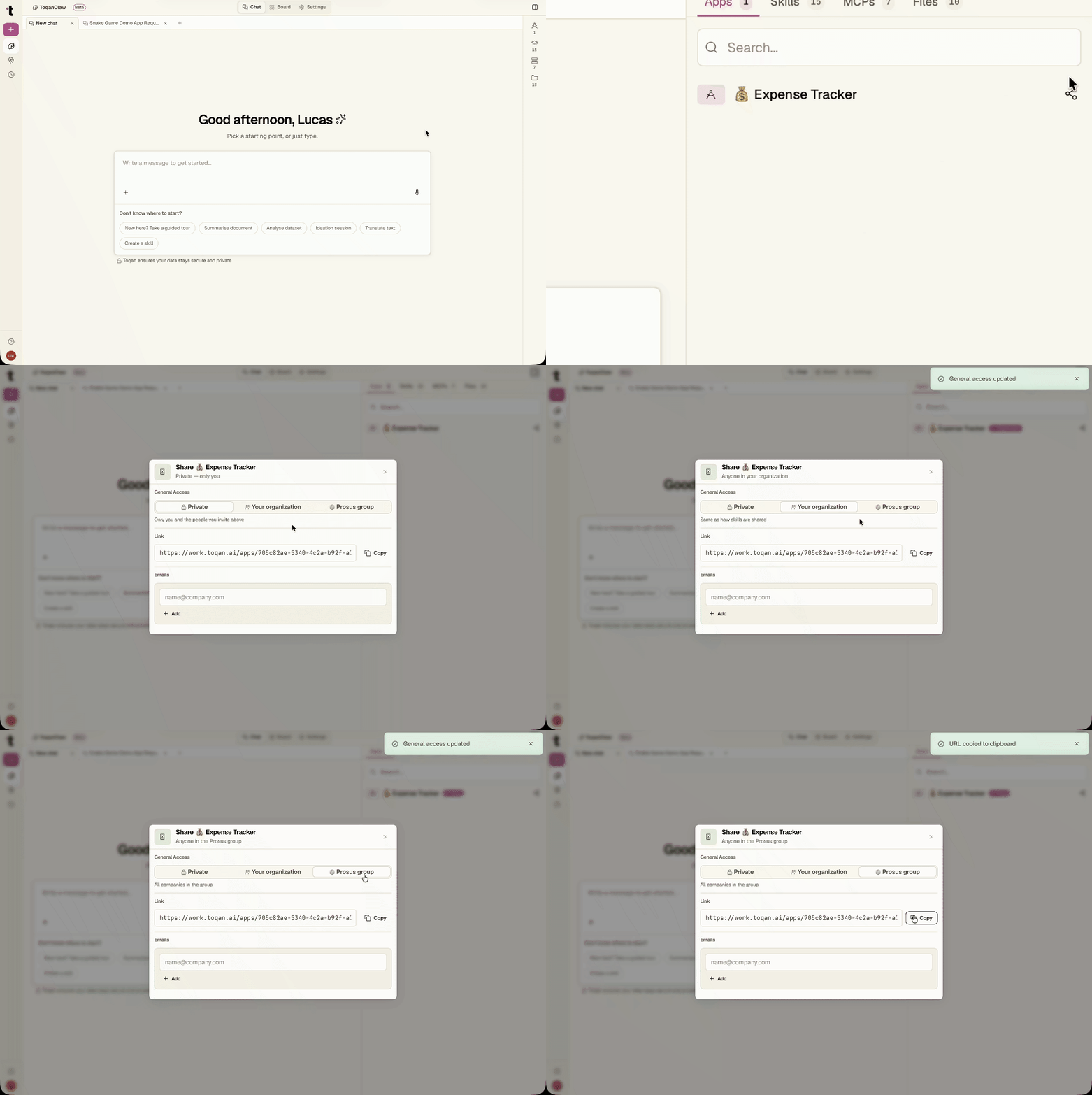
App Sharing gives Toqan app owners control over who can open their apps. From the apps sidebar, owners can set access to Private (only the owner and the people invited), Your organization, or Prosus group, and copy a shareable link.
How to use it
- Open the Apps tab on Toqan.
- Click the Share button.
- Select the desired access level:
- Private — only you and the people you invite can open the app
- Your organization — anyone in your organization can open it
- Prosus group — anyone in the Prosus group can open it
- Optionally, invite specific people by entering their email addresses.
- Copy and share the app link.
ℹ️
Access is enforced immediately. Users who match the access level can open the app via the shareable link; anyone outside it won't see it or be able to open it. Only the app owner can see or modify the Share settings.