
What changed
Until now, every app you built was static. You could look at it, but you couldn’t really use it. Type something in, submit a form, add an entry, all gone the moment the app restarted. Apps were displays, not tools.
Now your app can hold onto what you put in it: records, entries, submissions, whatever you build. And not only that, but ToqanClaw can reach into that same storage, read what the app collected, process it, and write results back. No copying between tools, no explaining yourself twice. The app stores the data, ToqanClaw acts on it.
What a database is, in Toqan terms
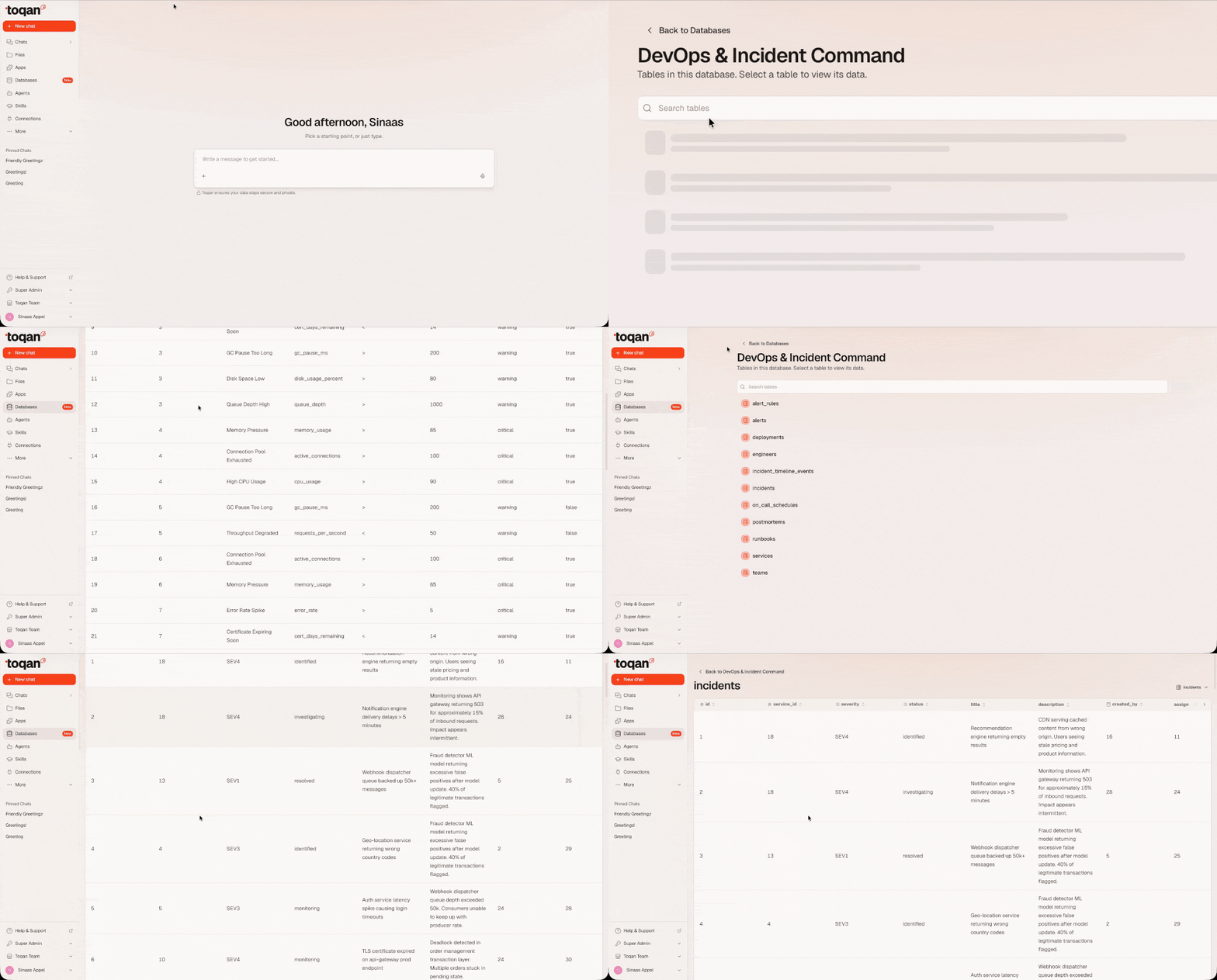
A managed PostgreSQL database. Toqan runs it, manages it, and connects it to your app for you. You never handle a password or a connection string.
You create a database, design what it holds, and attach it to your app. ToqanClaw can query it directly in conversation. Everything stays inside Toqan’s managed environment — there is no external database host.
What it enables for apps
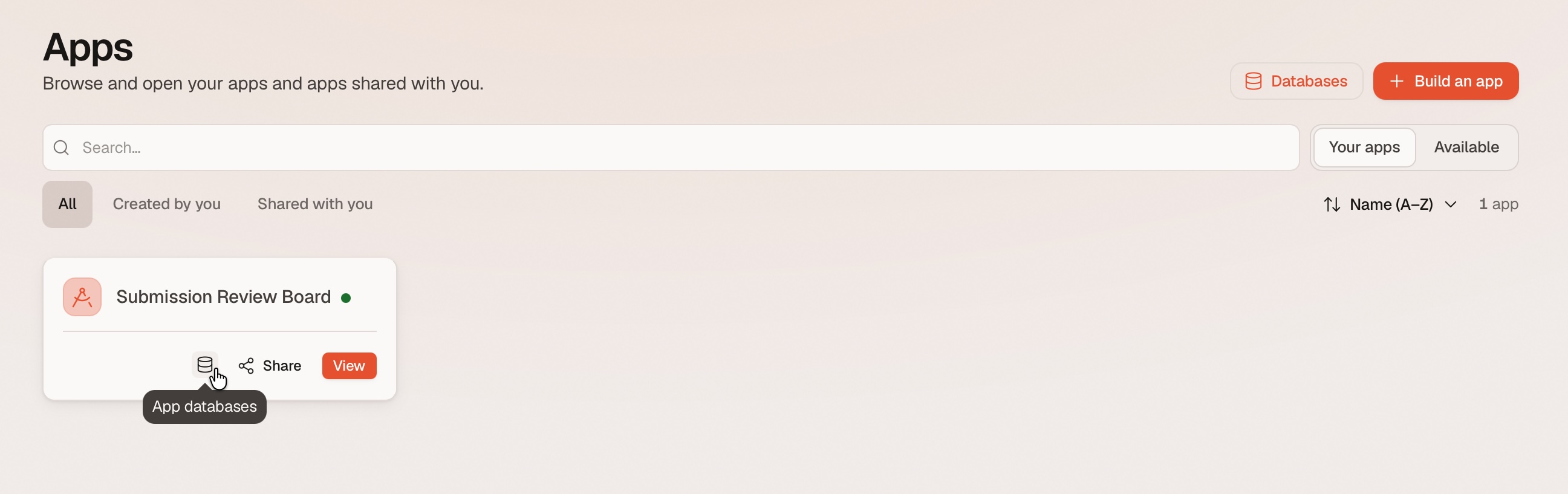
Anything a person does inside your app can now survive a restart. For example:
- User accounts and preferences — who logged in, what they chose, session info that persists across restarts
- Business records — orders, bookings, tasks, submissions, inventory, any structured data your app creates and needs to keep
- Uploaded content — file metadata, user-generated content, attachments
- App state and history — logs, audit trails, status tracking, event history
- Shared reference data — pricing tables, catalogs, or lookup data that multiple apps can read from
What it enables for ToqanClaw
Databases add structured, queryable storage that ToqanClaw can read from and write to directly:
- Scheduled work that persists — a recurring task can read accumulated data, process it, and write results back to a table. The results are still there next time, queryable.
- Ongoing tracking in a structured store — instead of relying on conversational memory, Toqan can maintain records in a database: which items have been processed, what the last sync date was, what still needs attention.
- Shared data with apps — the same database connects to both, so Toqan can read what an app collected, write back what the app should display, and they stay in sync through the data itself.
Your app and ToqanClaw on the same data
This is the most valuable thing databases unlock. Your app and ToqanClaw can work the same data from either end. The app is the front door where people submit, look, and click. ToqanClaw is the work happening behind it. The database is the shared checkpoint between them.
Three patterns:
- The app writes, ToqanClaw reads. Submissions arrive all day through the app. A nightly task reads whatever came in, categorizes, aggregates, summarizes, and writes a summary back. The app can display that summary the next morning.
- ToqanClaw writes, the app reads. ToqanClaw produces something on a schedule — a pricing table, a ranked list, a set of recommendations — and writes it to the database. The app simply displays whatever is there. The app gets better without anyone touching the app.
- They take turns. One writes a record, the other picks it up later and updates it. The database is the shared workspace that ties them together.
One database, several apps, different permissions
A single database can be attached to multiple apps at the same time, each with its own access level:
| Attachment | Permission | What it means |
|---|---|---|
| App A | Read-write (default) | Full access — can create, read, update, and delete data |
| App B | Read-only | Can only read data — cannot modify anything |
A practical example: a main app where users submit orders needs read-write access to store new orders. A dashboard app that displays analytics gets read-only access so it can never accidentally modify data. Both look at the same data, with permissions tailored to what each one actually needs.
One database can serve many apps, but each app can only have one database attached to it.
Getting started
You don’t need to configure anything. Just ask ToqanClaw in conversation:
- Create a database: Tell ToqanClaw what you need it for. It provisions the database and designs the tables to hold your data.
- Attach it to your app: ToqanClaw connects the database to your deployed app. The app picks up the connection on its next start.
- Use it: Anything your app stores is now persistent. ToqanClaw can also read and write to the same database in conversation or on a schedule.
If you already have a deployed app, you can attach a database to it without rebuilding from scratch.
Credential rotation
Security is handled for you. If you ever need to refresh credentials (after a team change, for example) ToqanClaw rotates the passwords and updates every attached app automatically. No manual reconfiguration, no copying new connection strings into settings. You never see or handle a credential at any point.
FAQ
What database engine is it? PostgreSQL. You never pick the engine or configure it.
Do I handle credentials? No. You never see a password or connection string. ToqanClaw manages everything behind the scenes.
Is this available to every user of every Prosus organization? Yes. Everyone can use Databases.
Can people access the database if I share my app? No. Sharing an app doesn’t expose the database behind it. Only you, as the app owner, can see the database’s contents.