
What changed
Every app now has its own page, where you and your team see its status, its data, its versions and who has access. And behind every app there is a Git repository: Repositories, new in the left sidebar, is where you read its code, change it and deploy it.
You can now build apps together. Add the people you work with to an app as Contributors or Owner, and they work on it with you from their own Toqan chats.
When you share an app, the role you give each person decides what they get: Viewers use the app, while Contributors and Owners also get its code and its database.
Find your app
Open Apps in the side menu. A click on an app opens it; to see the app’s page, use the details button (i) on its card. Owners and Contributors see four tabs: Overview, Data, Code and versions and People. Viewers see a short page from which they open or leave the app.
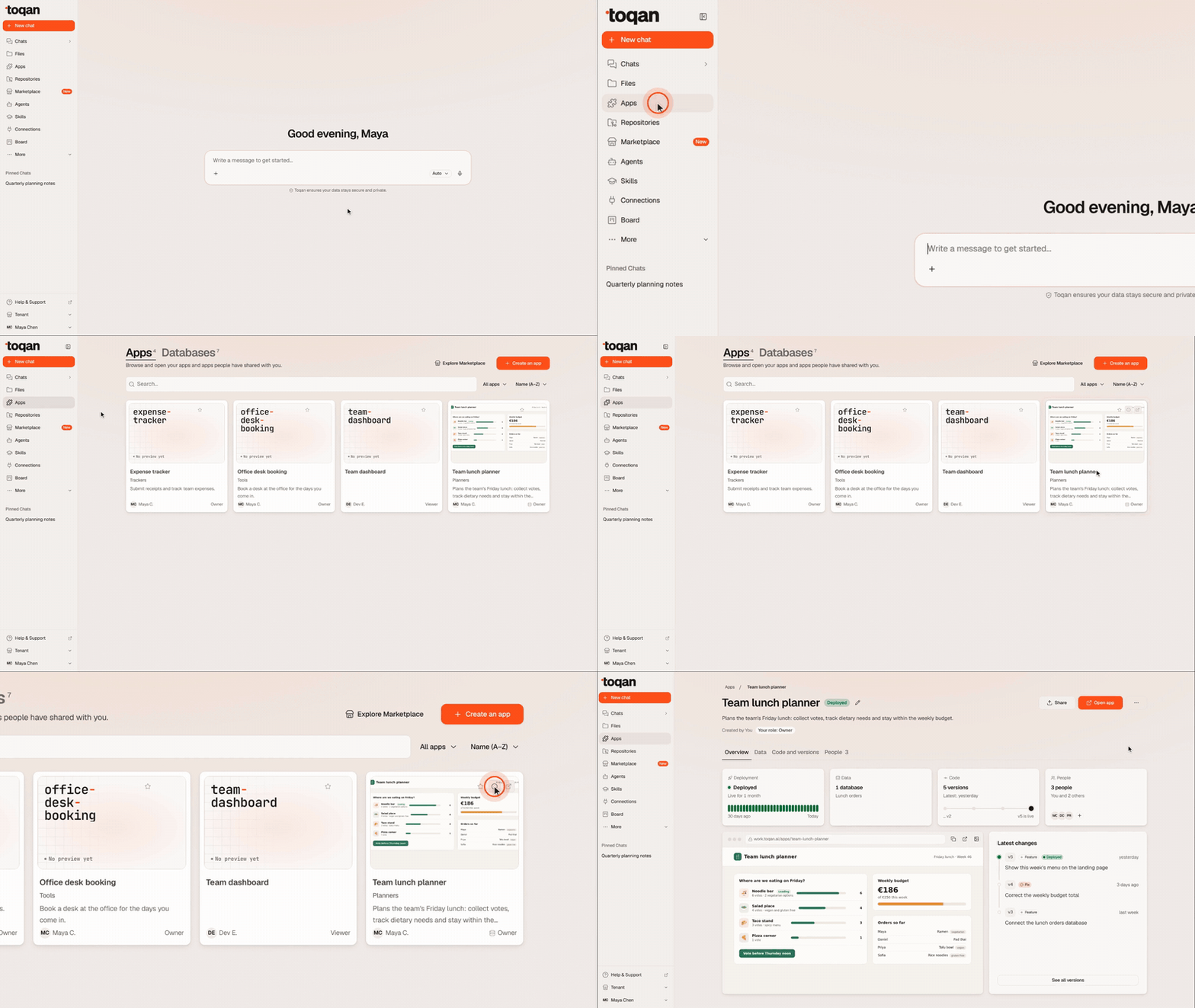
Everything on the Overview
The Overview shows everything important about the app in one place. Four cards sit in one row: Deployment (its state and the last 30 days), Data (the connected databases), Code (the versions, up to the live one) and People (who has access). Below them are a snapshot of the app and Latest changes.
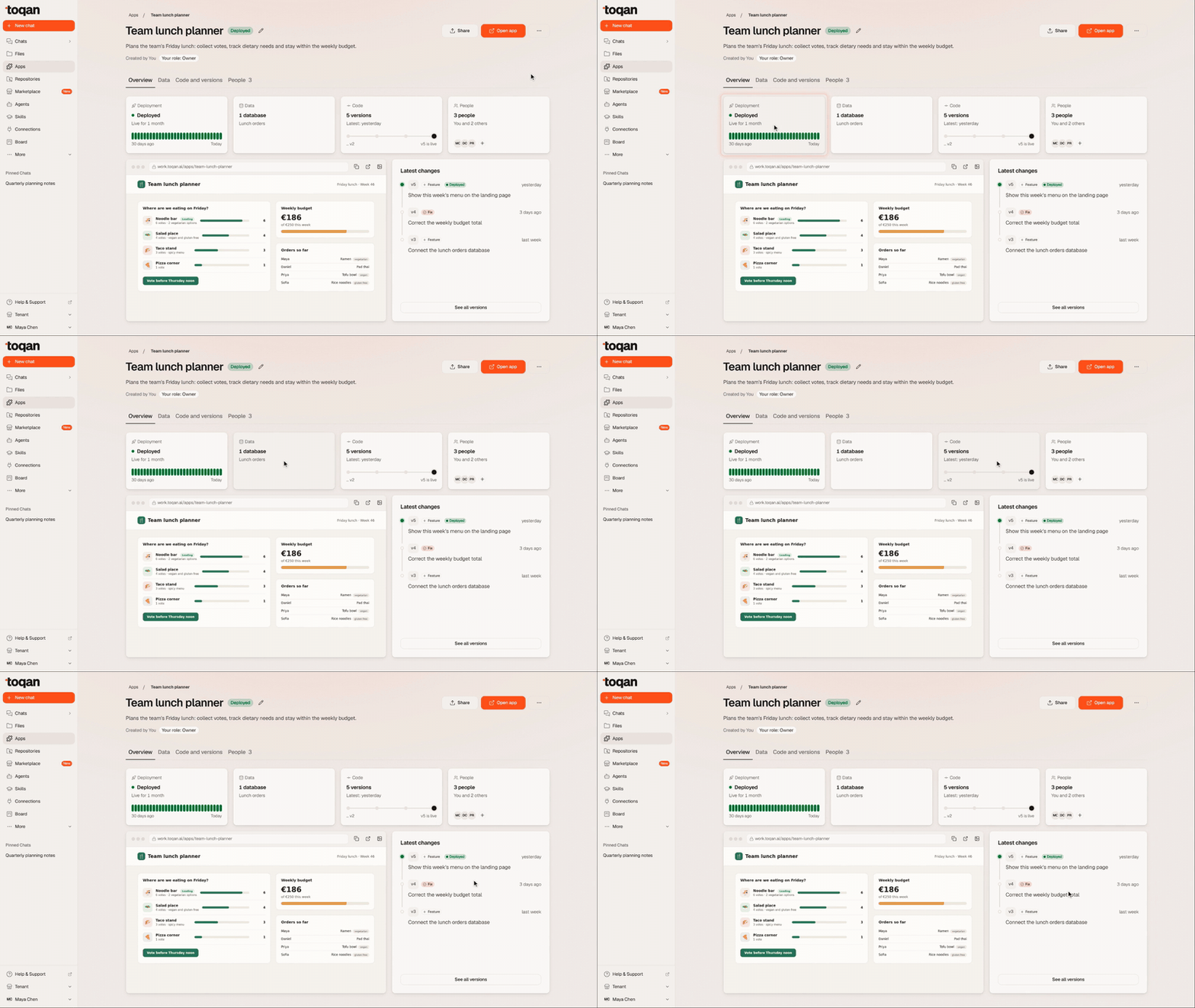
Your data, connected
The Data tab shows the databases connected to the app and the app’s access to each, read and write or read only. Open a database, attach an existing one you own, or create a new one.
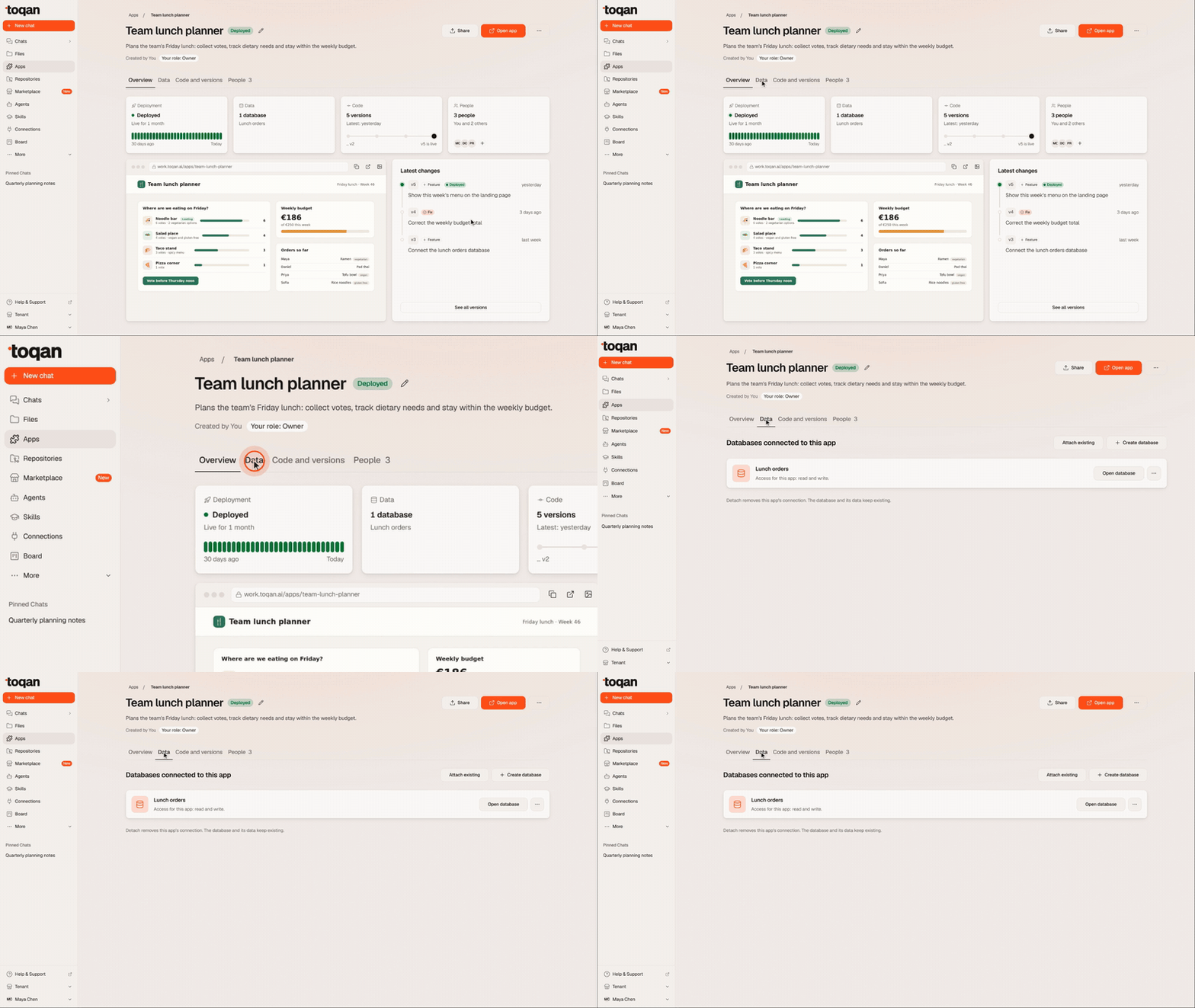
Apps and databases also sit together under Apps in the side menu, with a switch between the two. On the Databases side, a Shared with me section lists the databases you work on as a Contributor, with the apps that use each one.
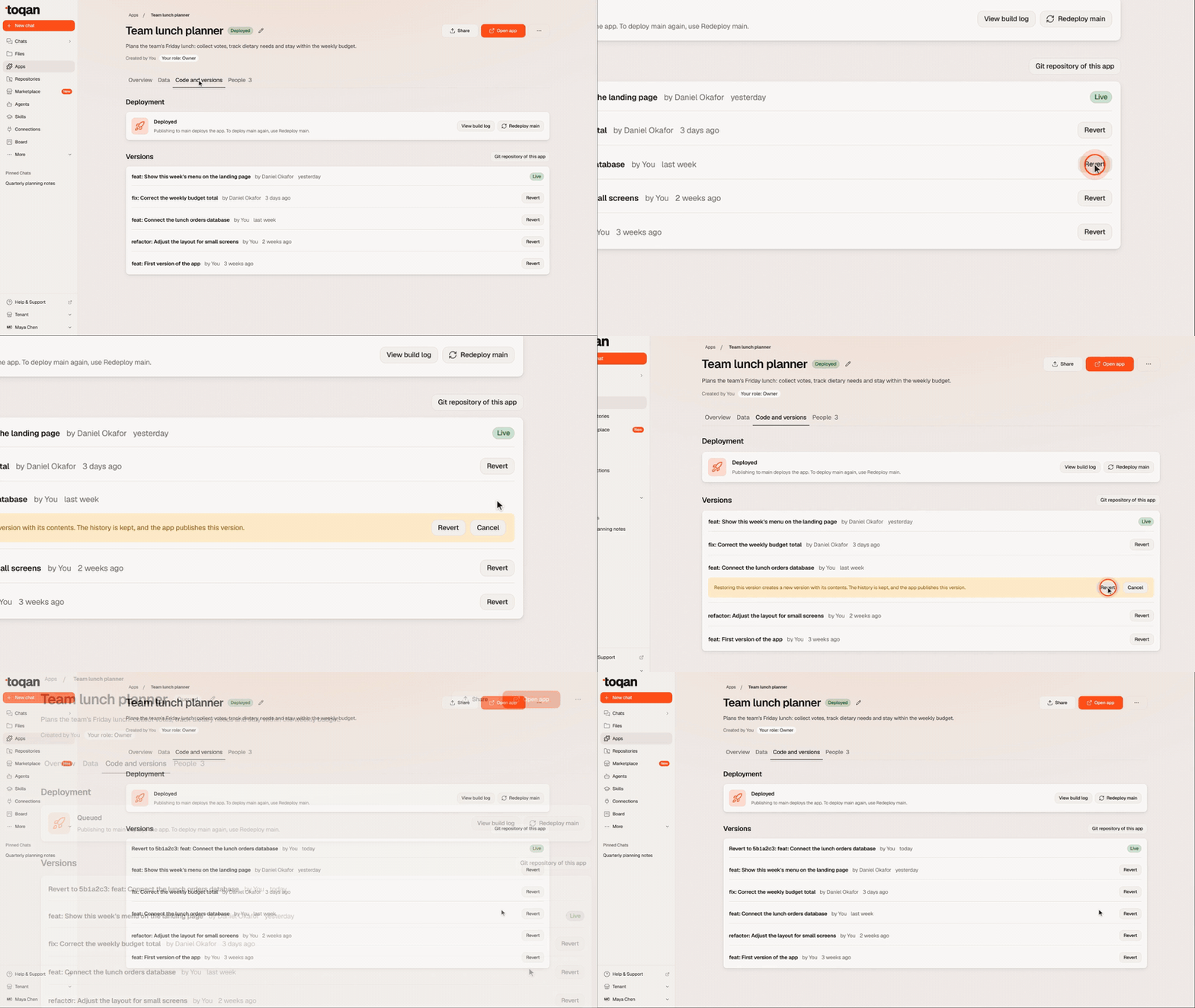
Every version, kept
Code and versions lists every version of the app, with the live one marked. To go back, click Revert on an earlier version and confirm: Toqan publishes it as a new version, and the history stays. The Deployment card above the list has View build log, handy when a deploy fails, and Redeploy main.
The code behind it
From now on, new apps keep their code in a Git repository from the start; an older app gets one once you move it into a repository (just ask Toqan in chat). Every change is saved as a new version, and publishing to the main branch deploys the app, so every app has one live version and a full history of the versions before it.
Owners and Contributors can now edit an app’s files by hand, without going through a chat: open a file on the repository page, change it and save.
Git repository of this app, in Code and versions, takes you to the app’s repository in one click. Repositories in the side menu lists all the repositories you own and the ones shared with you (All, Owned by me, Shared with me), each with your role.
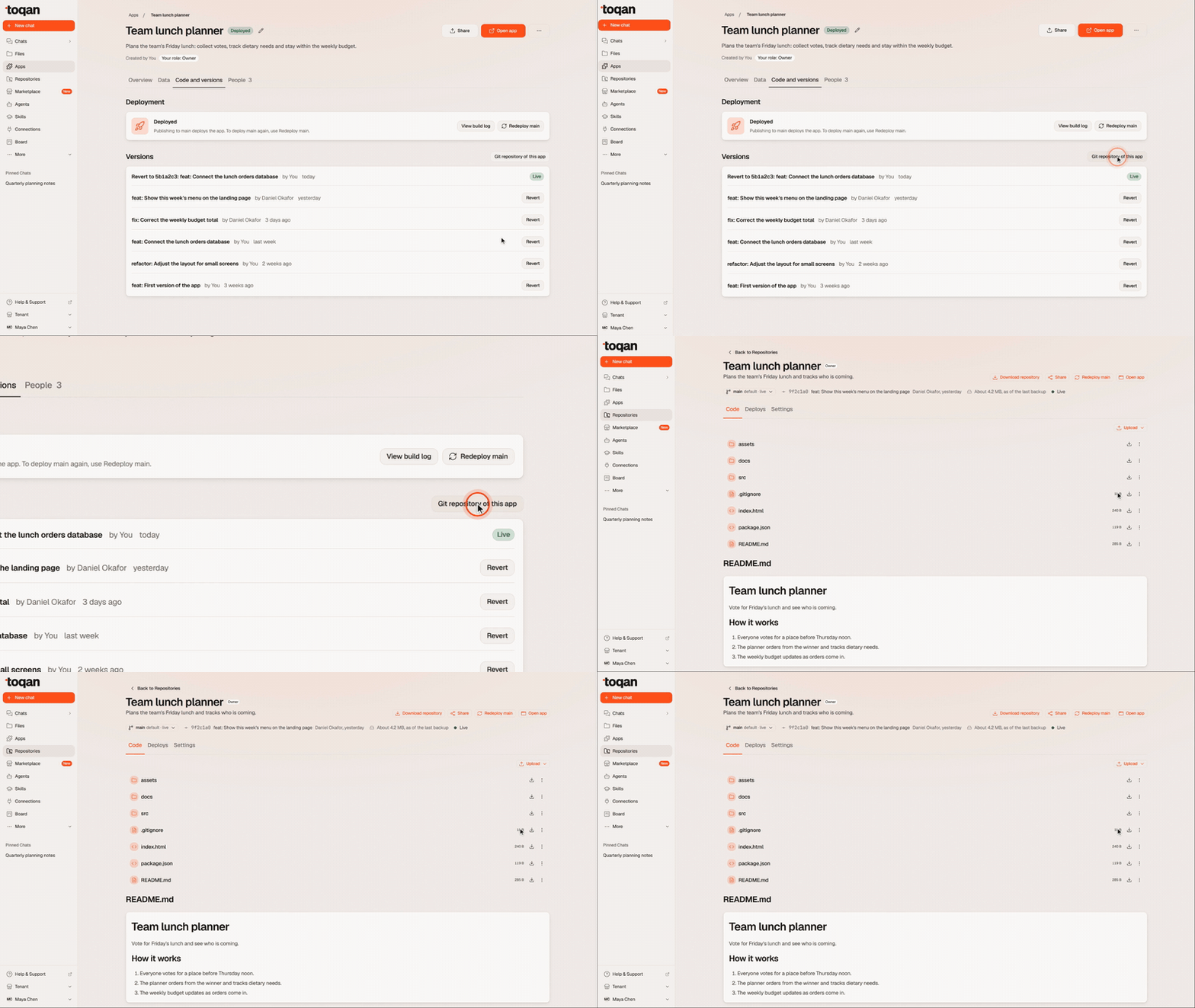
A repository page has three tabs, and Contributors and Owners can use all of it:
- Code. The README and the files, on any branch (main is the default). Open a file, edit it and commit the change: to main to publish it, or to a new branch to keep it apart from the live app.
- Deploys. Each deploy and its status. Revert brings back an older deploy.
- Settings. Where an Owner deletes the repository. Deleting it does not delete the app or its database.
At the top of the page, Download repository gives you the code, Redeploy main publishes the app again, Share manages the app’s access and Open app opens it.
Access to a repository follows its app: the app’s Contributors and Owners get it, and Viewers never see it. A repository without an app (for example, after its app was deleted) keeps its own sharing, with Contributor and Owner only.
Share once
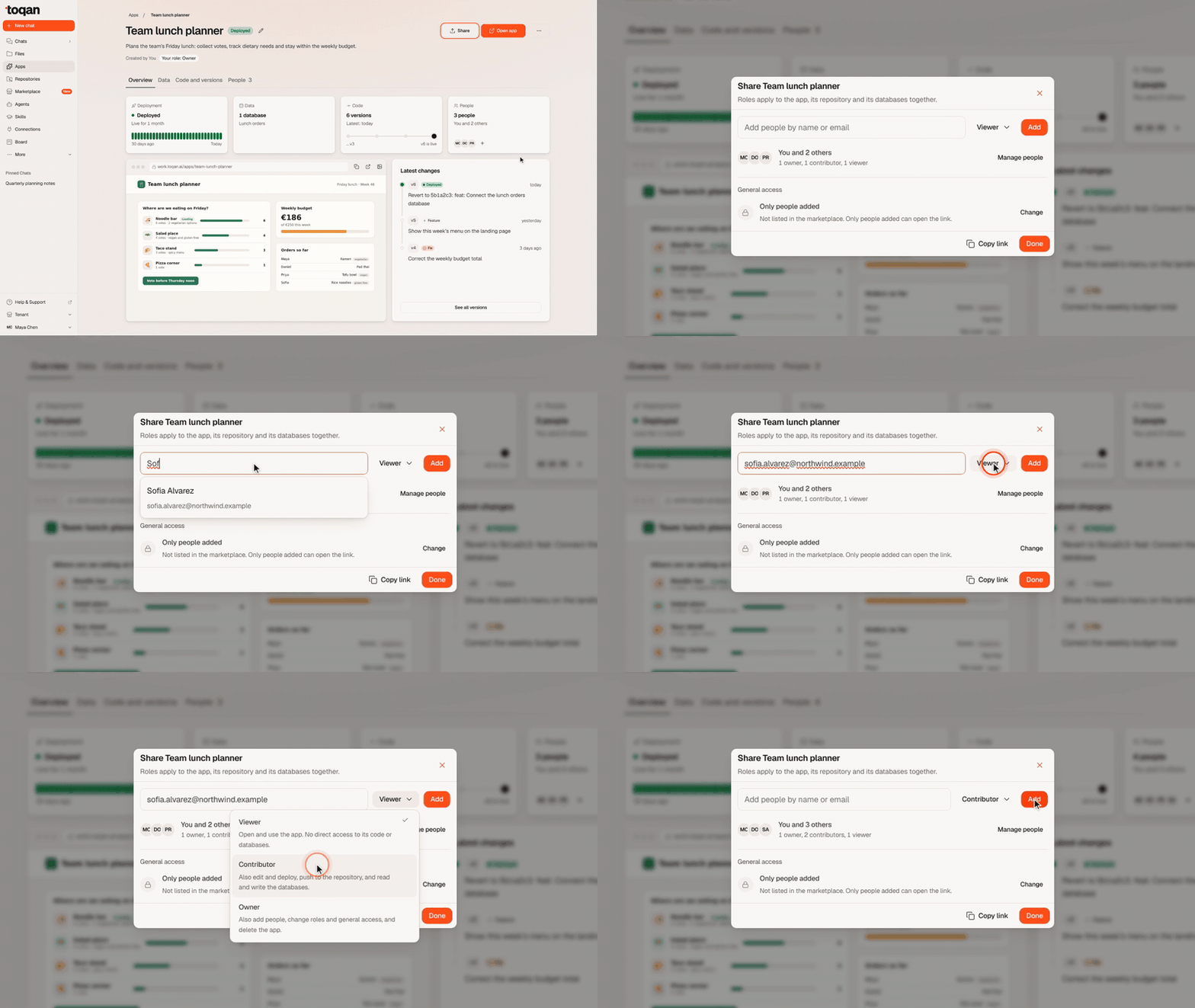
One role covers the app, its code and its database. To add someone:
- On the app’s page, click Share.
- Type their name or email and pick them from the list.
- Choose their role (Viewer is selected by default) and click Add.
The app then appears in their Apps, with their role on its card.
Contributors and Owners can ask Toqan to change the app, its code or its data, and to deploy it, as they would on an app of their own. An app can have several Owners and always has at least one.
Share on the app’s repository page or database page manages the same access.
Who has access
The People tab shows everyone who has access and their role. Owners add people, change anyone’s role and remove access there. Contributors see the same list but cannot change it.
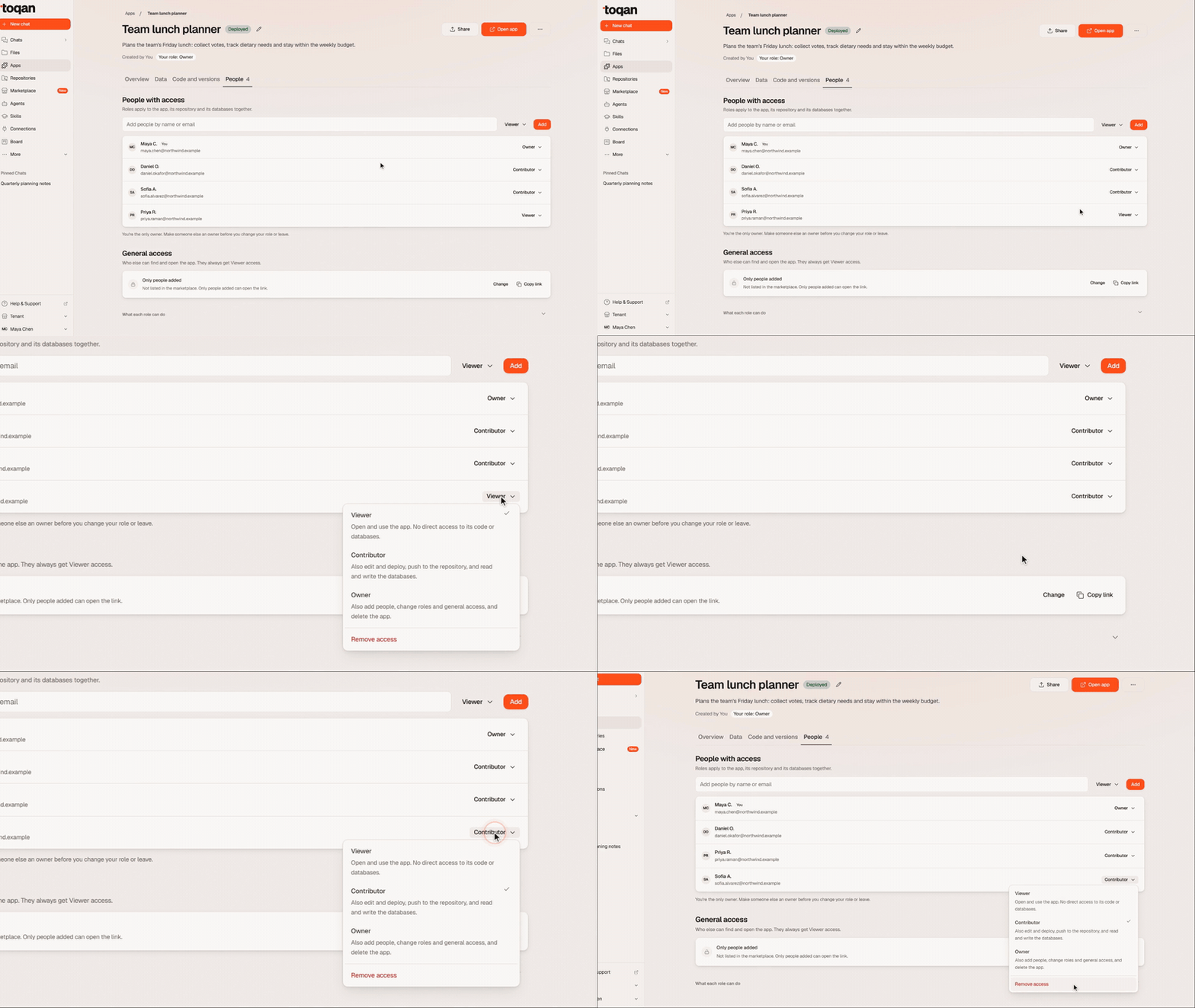
General access. Beyond the people you add, General access sets who else can find and open the app. Only people added is the default. You can also open the app to everyone in your organization or everyone on Toqan. Both options always give Viewer access.
Only Owners share, change roles and delete. Anyone can leave an app with Leave app in the More menu at the top of the app’s page.
Your existing apps
There is nothing to do. Your apps, their links, shares, pins and likes stay as they are.
- You are the Owner of the apps you created.
- People you shared an app with before keep using it, as Viewers
- Apps no longer live in your workspace, so resetting Toqan does not touch your apps or their databases.
FAQ
Can I share an app with someone in another Prosus company? Yes, with any role, as long as they have a Toqan account. Enter their email address in Share.
How many people can work on one app? Up to 200 Contributors and Owners. Viewers do not count toward the limit.
How do I hand an app over to someone else? On the People tab, make them an Owner. Then change your own role, or choose Leave app in the More menu. An app always keeps at least one owner, so the last owner cannot leave.
My app’s database is also used by another app. What happens when I add a Contributor? They can also reach the data of the other apps that use that database. Share warns you about this before you add them.
Why can a Contributor not see the code of my older app? Apps created before this update do not have a repository yet. On those, Contributors get the app’s details and its data, and the code is shared once the app moves into a repository.
If I delete an app, is its database deleted too? No. Deleting an app (Delete app in the More menu) keeps its code and its database; each one is deleted separately, by an Owner. Deleting a database removes it from every app that uses it. A deleted item cannot be restored.